Write your private note
Add 1–4,000 characters of plain text. Share a password, access details or a longer message.
Free private notes & one-time messages
Send a password, a private detail or an entire message by email. Share a link to a note that disappears after its first opening.
Bring your domain to TrekMail and share private notes right from your inbox.
Explore email hostingComplete the security check before creating a note.
Security checkSend this link in your email. The private text is not included in the email body.
Create a note, choose one read or a timer, and copy its link into your usual email. For sensitive details, add a password and share it separately. Email providers can see the complete link; a password protects against someone who only has the email.
Add 1–4,000 characters of plain text. Share a password, access details or a longer message.
Allow one reading or set an expiry. Add a password and keep opening confirmation enabled for email.
Copy the link into your email. If you set a password, send it through a different channel.
Keep your usual email workflow. Insert a private note from the composer while your signature and attachments stay in the email.
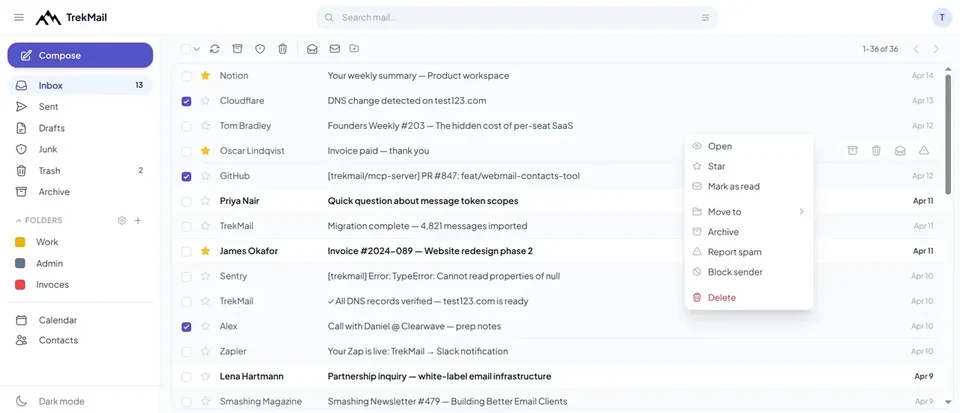
The note service receives encrypted text. Your browser keeps the decryption information in the link fragment. The email still reveals the subject, addresses, link and ordinary attachments. A recipient can copy or screenshot the note. Moving text from an existing draft cannot erase earlier copies.
The provider can see the complete link. Without a separate password, anyone with that link can read the note. Share a password through another channel for extra protection.
Agents can create encrypted notes, manage their own note settings and revoke links through API or MCP. Encrypt locally before uploading; send the link using your existing email permissions. White Label notes open on their brand’s serving domain with its name, logo and colours.
Read the Private Notes guideYour note is encrypted in your browser. Our service receives neither the decryption key nor your password, so it cannot read the stored text. Anyone with the complete link can open it; if you set a password, they need that too.
A one-time note is delivered once and our stored copy is deleted. After deletion, we cannot recover it or provide its contents, including in response to a disclosure request. There is no archive of note contents. An unavailable link can also mean expiry or revocation. The reader can copy or screenshot the text.
Use 1–4,000 characters of plain text. Empty messages, rich formatting and file attachments are not supported inside a note.
The provider can see the complete link. Without a separate password, anyone with that link can read the note. Share a password through another channel for extra protection.
No. A one-time note is used when its message is retrieved through the link. Keep the opening confirmation on to help protect it from link scanners.
You can change confirmation, notifications and the reference, or shorten expiry. To change text or a password, create a new note. A used one-time note cannot be recovered.
Start with a free account and bring your business address to TrekMail. Add private notes from webmail when you need them.
Generate a password or check your domain’s email records.