

Business Email
White Label Email Hosting: Run a Branded Email Business on a Flat Account Plan
By Alexey Bulygin
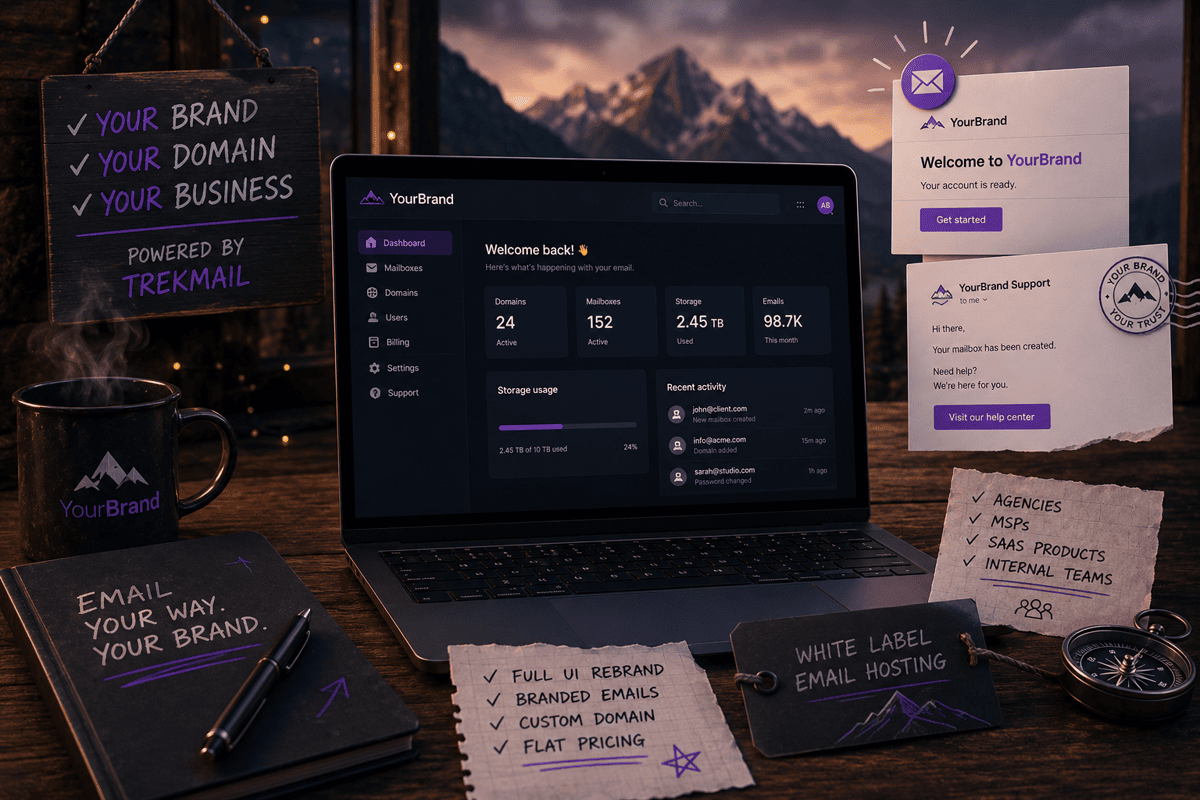
White label email hosting just got noticeably more useful at TrekMail. We've launched a White Label add-on that lets you serve the entire product, dashboard, webmail, login page and every system email, under your own domain and brand. Combine that with the way TrekMail already prices its plans (flat, per account, not per seat) and you get something most of the big email vendors don't actually offer: a fully branded email hosting product you can sell, embed, or hand to your team, for a fixed monthly cost that doesn't grow with every new mailbox you add.
TL;DR
- White Label is a $39/month add-on (or $389/year, about $32.42/month) that re-skins TrekMail under your brand. It's available on every plan, including the free Nano tier.
- Custom domain, full UI rebrand, branded transactional emails. One DNS record on your side, SSL handled by us, live in minutes.
- 30% off Drive storage, applied automatically at every renewal for as long as White Label is active.
- Flat per-account base plans ($4 Starter / $10 Pro / $29 Agency a month) mean the cost stops when you start. Adding a client doesn't add a line item.
- For agencies, MSPs, SaaS products and internal teams who want email to feel like part of their offer instead of a tool they happened to pick.
Table of contents
- What is white label email hosting
- Already cheap, still cheap with White Label
- Comparison: TrekMail vs Google Workspace, Microsoft 365, Zoho
- Why this launch matters
- How it works
- What gets branded
- What you can actually build with it
- White Label vs reselling: what's the difference?
- Common mistakes when choosing a white label email provider
- Migrating existing clients onto your White Label portal
- Why TrekMail is a good foundation
- How to get started
- Frequently asked questions
What Is White Label Email Hosting (and How TrekMail Does It)
White label email hosting means a provider lets you serve their email product under your own brand, on your own domain, so that your customers see your name everywhere instead of the vendor's. It's the same idea behind a white label SaaS dashboard or a private label store: the underlying product is somebody else's, but the customer-facing surface belongs to you.
TrekMail's add-on does this in three pieces, packaged together:
- A custom domain. Your dashboard and webmail live at
app.yourbrand.com(ormail.yourbrand.com, or any subdomain you pick). SSL is handled for you. Nothing to install on your side, nothing to renew. - A full UI rebrand. Your logo replaces ours in the sidebar and the login page. Your brand name shows up in browser tabs and in email signatures. Your primary and accent colors theme the interface (buttons, links, focus rings, the active state in the sidebar) in both light and dark mode automatically.
- Branded transactional emails. Password resets, mailbox invites, welcome emails and account notifications all go out under a sender name you choose, with your logo in the header, your colors on the call-to-action buttons, and a "Need help?" link pointing at your support page instead of ours.
Underneath, it's still the same TrekMail product. Same uptime, same deliverability, same features. Your customers just don't see that part.
TrekMail Was Already Cheap. White Label Keeps It Cheap.
Most business email is sold per user. Google Workspace, Microsoft 365 and Zoho all bill you for every team member who needs a mailbox, and the cost grows in a straight line with the headcount. Fifteen people roughly cost fifteen times what one person costs. A multi-client agency managing email for ten small businesses with ten people each ends up paying for a hundred seats.
TrekMail doesn't work that way. Plans are flat, per account, and priced for the work an account does rather than for the number of people sitting at their computers.
- Nano is free. 10 domains.
- Starter is $4 a month or $42 a year. 50 domains, up to 100 mailboxes per domain.
- Pro is $10 a month or $96 a year. 100 domains, up to 300 mailboxes per domain.
- Agency is $29 a month or $279 a year. 1,000 domains, up to 1,000 mailboxes per domain.
White Label is $39 a month on top of any of those, or $389 a year if you pay annually (a 17% saving). Starter plus White Label is $43 a month for up to 50 client domains. Agency plus White Label is $68 a month for up to a thousand. No per-seat fee, no setup fee, no per-domain fee.
For a small team that just wants its own logo on a mail product, that's already a good deal. For an agency or a managed service provider serving multiple business clients, it stops being a per-seat negotiation and starts being a fixed line item. You pay the same $68 a month whether you're hosting email for thirty clients or three hundred.
Comparison: TrekMail vs Google Workspace, Microsoft 365, Zoho
The cost gap is most obvious when you stack the providers next to each other.
| Setup | TrekMail (Agency + White Label) | Google Workspace Business Starter | Microsoft 365 Business Basic | Zoho Mail Premium |
|---|---|---|---|---|
| 10 mailboxes | $68 / mo | $70 / mo | $60 / mo | $40 / mo |
| 50 mailboxes | $68 / mo | $350 / mo | $300 / mo | $200 / mo |
| 100 mailboxes | $68 / mo | $700 / mo | $600 / mo | $400 / mo |
| 500 mailboxes (spread across many client domains) | $68 / mo | $3,500 / mo | $3,000 / mo | $2,000 / mo |
| Branded as your business | Yes | No | No | No |
| Multiple client domains under one account | Up to 1,000 | One per tenant | One per tenant | Varies |
| Custom transactional emails | Yes | No | No | No |
Per-seat prices reflect publicly listed pricing for each provider's entry business plan as of May 2026. Check each vendor for current rates and regional variations. The TrekMail row uses the Agency plan ($29/mo) plus the White Label add-on ($39/mo) on monthly billing.
The interesting row is the second one. By 50 mailboxes, TrekMail is already 3 to 5 times cheaper than the per-seat plans. By 100 mailboxes, it's an order of magnitude. By 500, the per-seat plans cost as much per month as a small employee. And the per-seat plans don't let you wrap any of that in your own brand at all.
Why This Launch Matters
For a long time, recommending TrekMail to a client was easy. Selling it as your own product was not. The login page said TrekMail. The welcome email said TrekMail. The footer of every notification said TrekMail.
If you're a freelance consultant emailing a small business, that's fine. If you're an agency packaging email into a monthly retainer, an MSP bundling it into a stack of services, or a software product embedding email into your own platform, every customer interaction was a small reminder that you were a middleman.
White Label closes that gap. It's the surface that was missing for everyone who wanted to put their own name on the email product they were already paying for.
The word "Lite" in the name is deliberate. Your relationship with us stays one TrekMail account and one TrekMail invoice. If you eventually want a fully separate billing layer for each of your clients inside the TrekMail dashboard, that's a separate product on the roadmap (see White Label vs reselling below). What's shipping today is the branding surface, which is the part that closes most deals on its own.
How It Works: One DNS Record and You're Live
The whole setup is one DNS record on your side and a handful of inputs in your settings.
- Subscribe to White Label from the Plans page.
- Open the White Label settings, type your brand name, upload a logo, pick two colors. A live preview shows what the dashboard, the webmail and a sample email will look like before you save anything.
- Decide which subdomain you want to use.
app.yourbrand.com,mail.yourbrand.com,portal.yourbrand.com: any subdomain on a domain you already own works. The apex of a domain on its own isn't supported, because that almost always points at a marketing site you don't want to break. - Add one CNAME at your DNS provider pointing your chosen subdomain at us.
- Wait. Provisioning normally completes within 5 to 30 minutes after DNS propagates.
That's the whole setup. After it goes live, your customers visit app.yourbrand.com, sign in to webmail under your brand, and receive every system email under your sender name. You still have the regular TrekMail URL for your own internal use; everything customer-facing flows through your domain.
Step-by-step instructions live in the White Label Lite setup guide if you'd like to read the full version before subscribing.
What Gets Branded
The point of White Label isn't any one surface. It's that the branding follows your customer everywhere. Here's what changes the moment your domain goes live.
The domain itself
Dashboard, webmail and every page nested under them, all on one subdomain you control. Your customers visit one URL. They sign in, check email, manage settings and access shared files at the same domain. No second URL, no second certificate. SSL renews on its own.
The user interface
Your logo replaces ours in the sidebar of the dashboard, in the header of the webmail and on the login page. Your brand name appears in the browser tab. The colors you picked theme every accent in the product: the Compose button, the active folder in the sidebar, the focus rings on form inputs, the unread chip on the inbox. Light mode and dark mode are handled separately, with sensible variants derived automatically, so you don't have to upload two logos or pick four colors. There's no "Powered by TrekMail" line anywhere.
The sign-in and recovery flow
The login page on your domain shows your logo and your brand name. So do the password reset, mailbox setup and recovery flows. The pages your customers land on after clicking a link in an email carry your brand too. There's no point in the experience where the customer briefly bounces through a vendor-branded screen.
Every transactional email
This is where most rebrands quietly fail. You change the dashboard logo, but the password reset email still goes out under the old vendor's name, and the moment a customer needs to reset a password, the cover is blown.
White Label rebrands the emails too. The "From" name on every system email is yours. The header carries your logo. The accent color shows on the call-to-action button. The "Best regards, the TrekMail Team" closing line is replaced with your name. If you set a support address, replies route to you. If you set a help-center URL, a "Need help?" link in the footer points at your knowledge base.
You don't have to set up anything on the email infrastructure side to make this work. The sender domain is already authenticated; your branding lives on top of it. If you want to take it a step further and ship from a noreply@yourbrand.com address, that's an opt-in step with a couple of DNS records, but it isn't required for the default branded experience.
Support goes to you
Set a support email and a support URL on your brand profile, and replies to system emails route to your inbox while "Need help?" links point at your help center. We never see those customers or reply under your brand. If you'd rather run a strict no-reply flow, leave the support email blank. There's no quiet fallback that drops customers in our inbox.
A 30% discount on Drive storage, always
The Drive storage add-on is 30% cheaper for any account with White Label active. Every tier, every renewal, automatically. No coupon code, no expiry.
A 2 TB Drive on the standard ladder is $300 a year. With White Label, it's $210 a year, every year, for as long as the add-on stays active. The full ladder runs from 250 GB up to 100 TB, and the discount applies to all of it. For an agency bundling storage into a managed offer, that's real margin to work with.
What You Can Actually Build With It
White Label is a feature, but the more useful way to think about it is in combination with the rest of TrekMail. Five concrete scenarios.
A small branded email hosting business, from scratch
Your cost: $68/mo (Agency $29 + White Label $39) Your revenue at 30 clients × $19/mo: $570/mo Margin: $502/mo Headroom: up to 1,000 client domains under the same workspace
You pick a brand. You point mail.yourbrand.com at us. You charge thirty small businesses $19 a month each for "email hosting by your brand." Your revenue is $570 a month. Your margin is $502.
Every client gets their own domain with mailboxes branded under your name. You invoice them however you already do, whether that's Stripe, an accounting tool, a recurring invoice or a retainer line item. The TrekMail bill is your wholesale cost. The Agency plan gives you headroom up to a thousand client domains under one workspace, so the same setup scales until you're effectively running a small ISP.
This works because the cost base doesn't grow with your customer count the way per-seat plans do. The thirty-first client costs you nothing extra to host.
An agency bundling email into a retainer
Your cost: $43/mo (Starter $4 + White Label $39) Inside a typical retainer: $2,000+/mo Effective markup: ~46×
You run a digital agency. Retainers are $2,000 or more a month. Most of those clients want a clean you@theirbusiness.com mailbox setup, a few aliases, maybe a shared inbox, and someone to handle the deliverability headaches.
You add Starter and White Label for $43 a month all-in. You provision client mailboxes on your branded portal. Clients sign in to your domain. Password resets come from your brand. Welcome emails come from your brand. The migration from their old Google Workspace or Microsoft 365 happens through your portal too: your team uses the bulk migration tooling, but to the client it looks like a service you provide.
When a client opens a support ticket, they email you. When they need a new mailbox for a new hire, they email you. You charge them as part of the retainer. The total cost on your side is roughly one Google Workspace seat, for unlimited mailboxes across fifty client domains.
An MSP selling email as a managed product
Your cost: $68/mo (Agency $29 + White Label $39) Client domains: up to 1,000 under one workspace Drive storage bundle: 30% off, kept as margin or passed on
You run an IT services business. You already manage networks, endpoints, backup and licenses for thirty small business clients. Email is the most visible vendor relationship and the one your customers ask the most questions about.
You move it onto White Label. Agency plus White Label is $68 a month. You pull every client's domain into a single workspace, set up the deliverability records once per domain, and route all of it through a sender configuration that fits your stack. Use the built-in relay or your own SMTP provider; both are supported. Clients sign in to your portal. Password resets carry your name. The Drive storage add-on rides along with its 30% discount, which you can either pocket as margin or pass on as part of the offer.
The clients stop asking who actually runs their email. They just know that "our IT people handle it."
A SaaS product embedding email into its own application
Your cost: $49/mo (Pro $10 + White Label $39) Integration surface: REST API + 181 MCP tools What your users see: your product, not TrekMail
You're building a CRM, a customer portal, or an HR tool. Your users keep asking for "email built in." You don't want to build SMTP, deliverability and a webmail client from scratch, and you definitely don't want to send your users to a third-party login page in the middle of your product.
You buy Pro and White Label for $49 a month and embed mailboxes directly into your application using the TrekMail API. Your users create accounts in your product, get a mailbox on their own domain (or on a subdomain of yours), and use webmail inside your branded surface. The system emails they receive (invites, password resets, notifications) go out under your brand, not ours.
For AI-driven products, the MCP integration gives agents inside your application direct access to mailbox actions without exposing the email vendor underneath. From the user's side, email is just another feature of your software.
An internal team that just wants its own logo
Your cost: $43/mo (Starter $4 + White Label $39) Compared to: two Google Workspace Business Starter seats ($14/mo)
You're a fifty-person company. You don't need a billing layer or a reseller console. You just want internal mail to look like internal mail: your company's logo on the sign-in page, your brand name on the welcome email when HR sets up a new hire, no third-party SaaS name in the browser tab.
Starter and White Label together cost $43 a month. The whole company runs on it. IT takes a few minutes to set the brand, point a CNAME at us, and onboard the staff. From that point on, every employee sees the company's mail product instead of someone else's.
That's less than three Google Workspace Business Starter seats. For a company of fifty.
Ready to try it? Activate White Label from the Plans page or read the full setup walkthrough.
White Label vs Reselling: What's the Difference?
These two terms get used interchangeably, and they shouldn't. The difference matters when you're picking a provider.
White label means the product is delivered under your brand. Your customer sees your name on the dashboard, your logo on the login page, your sender on the email. Underneath, the provider runs the infrastructure and bills you. You charge your customers however you like (your own Stripe, your own invoices, your own retainer), and the provider's invoice to you is your wholesale cost.
Reselling, in the strict sense, means the customer is on a separate contract that you control inside the provider's system. The provider gives you a multi-tenant console where you create sub-accounts, set prices, run customer-level billing through the provider, and get a settlement statement from them. The provider is functionally your back-office, and you're the merchant of record for each end-customer.
TrekMail's White Label Lite is white label in the first sense. There's one TrekMail account, one TrekMail invoice on your side, and the branding wraps everything your customers see. Customer-level billing inside the dashboard isn't part of Lite. If you want sub-accounts that each carry their own brand and their own billing, that's a separate product on the roadmap and is not what's launching today.
In practice, most agencies, MSPs and SaaS products only need the first form. They already have their own billing, their own contracts and their own support flow with their customers. What was missing was the branding.
Common Mistakes When Choosing a White Label Email Provider
A short list of things worth checking before you commit to any white label email host, not only TrekMail.
Confirming that the emails are branded, not only the dashboard. A surprising number of "white label" pitches let you upload a logo to a settings page and stop there. Then the first password reset goes out under the vendor's name and the cover is blown on day one. Ask to see a sample transactional email from a tenant account before you sign anything.
Per-seat or per-domain pricing hidden in the white label tier. If the underlying plan is per user, the white label premium just sits on top of a cost that grows with every new client. Cheap-looking $9/mo white label add-ons can become expensive fast.
Custom domain handling. Some providers require you to use a subdomain of theirs (yourbrand.providerdomain.com), or charge separately for SSL, or limit you to one subdomain at a time. Ask about CNAME on a domain you own, automatic SSL, and how many subdomains are allowed.
What happens to the email "From" address. A lot of "branded" emails actually ship as noreply@providerdomain.com with the friendly-name set to your brand. Some inbox clients hide the friendly-name and show the raw address. Verify what your customer's inbox actually displays.
Deliverability ownership. Who sets up SPF, DKIM, DMARC and TLS for the customer domains? If the answer is "you do, manually, for each one," budget for a junior systems person to do nothing else. Look for providers that generate and monitor these records automatically.
Cancellation behaviour. What happens to the branded surface and to your customers' mailboxes if you stop paying for white label? At TrekMail, mailboxes and data stay intact and only the branding reverts. Other providers vary widely.
Migration path in. If you already have customers on Google Workspace, Microsoft 365 or another provider, find out whether the white label host has a bulk migration tool or whether you have to script the move yourself.
Migrating Existing Clients Onto Your White Label Portal
If you already have clients on someone else's email, White Label doesn't strand them.
The bulk migration tooling that ships with every TrekMail plan moves mail in from IMAP-compatible providers, Google Workspace, Microsoft 365 and several others. You add the source credentials, the tool inventories the mailboxes, and then it streams messages, folder structure, flags and metadata across in the background. End-users keep accessing their old mail through their existing client until you cut their DNS over, then the same accounts wake up on your White Label portal with their history intact.
On the agency side, the migration happens through your branded URL. Clients see your name on the progress page and your brand on the "migration complete" email. From their perspective, the migration is a service you provide.
There's a longer read on the full process in our email migration guide, and the bulk email migration documentation covers the API and the dashboard flow.
Why TrekMail Is a Good Foundation to Put Your Name On
Branding closes the deal. The product underneath keeps the customer. What you get from the TrekMail side of the stack:
- A real deliverability setup. The records that make email actually land in inboxes are generated, published and monitored for every customer domain you add. You're not handing your clients a configuration project; you're handing them a setup that already works. The deeper read on the deliverability records themselves is in our DMARC policy and DMARC alignment posts.
- 99.99% uptime target, tracked publicly on the status page, with operations monitored around the clock.
- EU data residency. TrekMail data is hosted in France, in line with GDPR. Content doesn't leave the region. That matters for European customers, and for anyone selling into Europe.
- A real API and an AI integration layer. If you're a software product embedding email, the integration surface is there: mailboxes, domains, DNS, migrations, webmail features, support tickets, billing. For AI-driven products, the same surface is available to agents through MCP without your users ever seeing TrekMail.
- A full webmail client in 13 languages. Dark mode, threading, contacts, calendar, scheduled send, identities, attachments. Not a stripped-down preview; the same product your customers would get if they signed up with us directly.
- One workspace, many domains. Up to a thousand client domains on the Agency plan, with no per-domain pricing and no per-domain cap to worry about as you take on new business.
How to Get Started
The flow is short.
Sign in to your TrekMail account. Open the Plans page. Click Activate White Label. Your card is charged and you're redirected to the settings page.
From there: brand name, logo, primary color, accent color, subdomain. Add one DNS record at your provider. Wait a few minutes for everything to come online. Watch the live preview while you do it. It shows the dashboard, webmail and a sample email rebranded to your inputs in real time.
If you're on the free Nano plan, the flow is identical. White Label is available on every plan.
Frequently Asked Questions
Does my customer ever see the TrekMail name? No. The product is delivered under your domain with your logo, colors and copy. Webmail, login, transactional emails and customer-facing pages all carry your brand. TrekMail only appears in the underlying contract you sign with us.
Can I resell email to my own customers? Yes. White Label rebrands the product end-to-end, and you're free to charge your customers however you already do. Use your own Stripe, invoice them, bundle email into a retainer, anything. The TrekMail subscription is your wholesale cost. There's no per-seat fee on our side, so the more clients you take on, the better your margin gets. A built-in customer billing layer inside the TrekMail dashboard isn't part of Lite. That's planned for a later product (see White Label vs reselling above).
How long does it take to go live? Provisioning normally completes within 5 to 30 minutes after DNS propagates. Once you add a CNAME pointing your subdomain at us and set your brand name, logo and colors, the product flips to your brand. SSL is handled in the background.
Can I use my own subdomain for the webmail?
Yes. mail.yourbrand.com or app.yourbrand.com are both fine. Any subdomain on a domain you own works. The apex (yourbrand.com on its own) is the only thing we don't support, because it usually already serves a marketing site.
What about deliverability? We generate the records needed for proper email authentication for every customer domain and monitor reputation continuously. It's the same setup we run for our own mail. Background reading: our DMARC policy and email deliverability monitoring posts.
How does customer support work? You handle Tier 1. Set your From name, From address and a support URL. Every system email points customers to your help center, and replies route to your inbox. We never reply to your customers under your brand.
Can I migrate existing customers to White Label? Yes. Existing mailboxes stay where they are. White Label re-skins the dashboard, the webmail and the transactional emails on the next page load. There's no data migration involved. If you're bringing new clients in from another provider, the bulk migration tooling moves their mail across without a separate consulting engagement.
Do I need a paid base plan? No. White Label is its own subscription that runs alongside any TrekMail plan, including the free Nano plan. Most production tenants pair it with a paid plan because the paid plans raise the mailbox, domain and storage limits, but it isn't a requirement.
What happens if I cancel? Your TrekMail plan keeps running unchanged. White Label stays active until the end of your billing period. After that, your branded domain still serves for another seven days as a grace window, in case you reactivate. After that, branding reverts to the default TrekMail look. Your mailboxes, domains and data stay intact through the whole process.
Final Thoughts
The most important thing about this launch isn't that TrekMail now lets you upload a logo. It's that the entire customer-facing surface (the domain, the dashboard, the webmail, the login page, every system email) is now something an agency, an MSP, a software product or an internal team can put their own name on, end to end, for a flat monthly subscription that doesn't grow with the number of people who use it.
That last part is the one that quietly matters most. The reason most white label pitches in the email space don't go anywhere is that the underlying plan is priced per user. The moment your customer count grows, your cost grows in lockstep, and you spend the rest of the year explaining to clients why their renewal is going up. TrekMail's plans aren't built that way. The cost is the cost, and your customer count is your business.
For agencies and MSPs, that turns email from a vendor you resell into a product line you sell. For platforms and SaaS, it lets email infrastructure live inside your application without leaking a third-party brand. For larger organisations, it makes a mail product that feels like it belongs to the company instead of to a vendor.
If you sell to businesses, or if email is something your customers expect to feel like part of your offer rather than a tool you happened to pick, TrekMail White Label is now a serious option worth a closer look. Activate it from the Plans page, or take the setup guide for a walk first.

